
ONLINE GALLERY GUIDE
This is a quick guide on how to use the online gallery. If you are the main client – make sure to follow the tutorial in the gallery when you first login! If you just need a refresher read below. Any issue just send me an email, I can do a zoom call and show you how to put your order in or just tell me what you want and I can do it for you 🙂
HOW TO FAVOURITE IMAGES
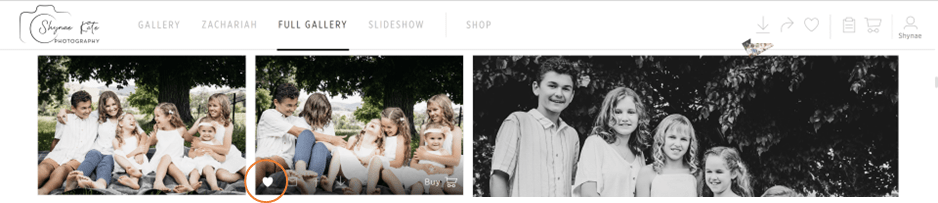
Click the little heart icon on the image you wish to favourite
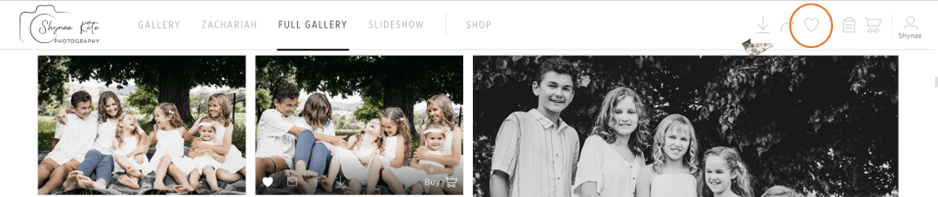
To find your favourited images click on the heart in the top right hand corner of the page
HOW TO DOWNLOAD LOW-RES IMAGES (WITH WATERMARK)
1. Favourite photos you wish to download (as above)
2. Click the download arrow in the top right-hand corner

3. Choose an option
- “Multiple Selection” | if you have favourited images
- “Download Full Gallery – Web Size” | if you want to download the full gallery

4. Select the images you wish to download

5. Click “Download Photos – Web Sized”
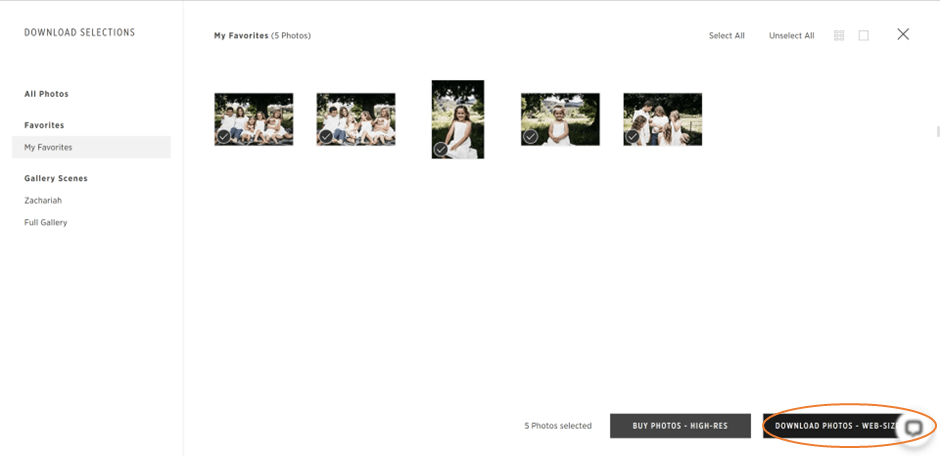
6. Choose where you wish to download
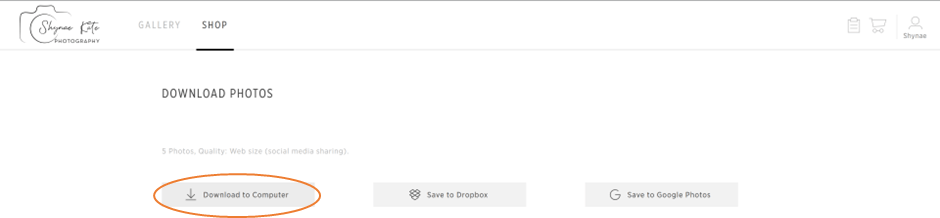
HOW TO DOWNLAOD HIGH-RES IMAGES
Follow steps 1-2 above, in step 3 choose BUY PHOTOS – HIGH-RES
HOW TO SHARE ON SOCIAL MEDIA
1. Favourite photos you wish to share on social media (see above)
2. Click share photos arrow in top right hand corner

3. Select “Facebook”

4. Select photos you wish to share
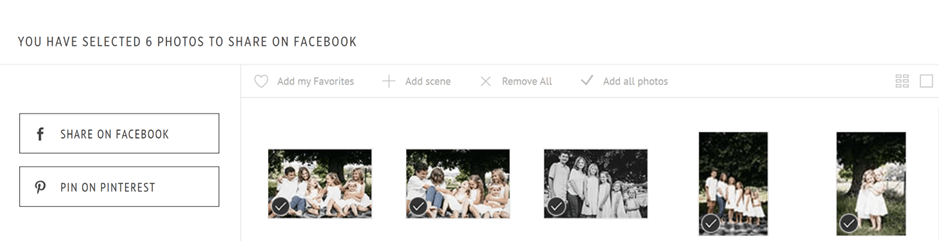
5. Click “SHARE ON FACEBOOK”
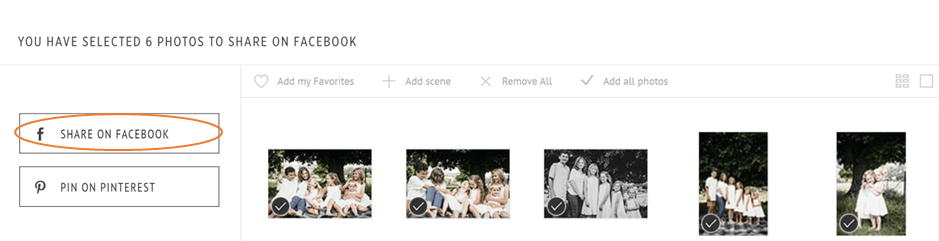
HOW TO PLACE AN ORDER
1. Click on “SHOP”
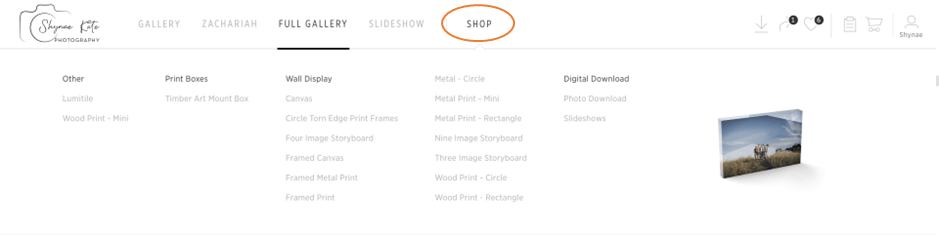
2. Select a product

3. Fill out the form (if there is one)
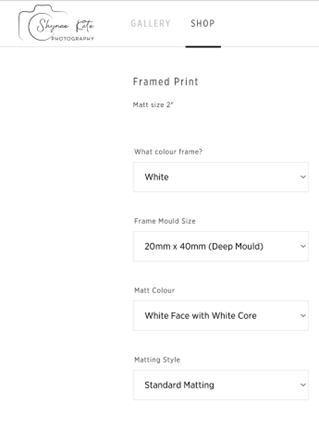
4. Select images required and add to cart
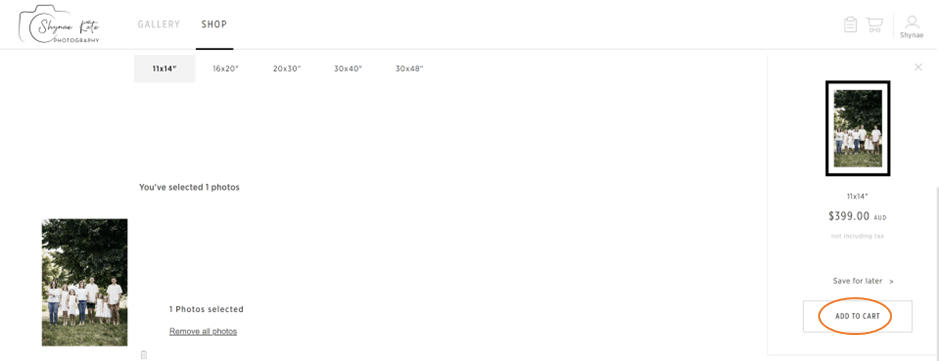
5. Follow the payment process (pay offline to receive an invoice via email)
HOW TO SELECT PHOTOS FOR THE PHOTOGRAPHER (IF DOING AN OFFLINE ORDER)
1. Once your receive an email to complete a selection follow the steps below to choose your images
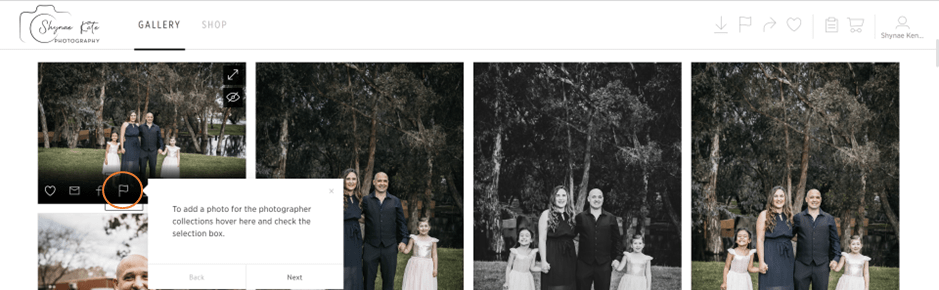
2. Hover over the flag on the image you wish to select, click the checkbox to make the selection
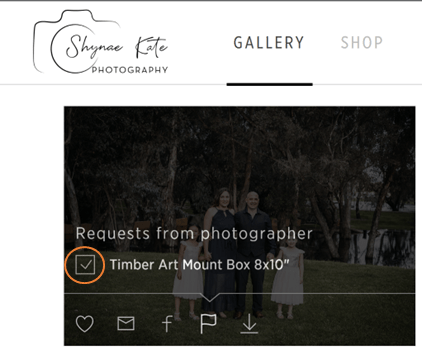
3. Once all photos are selected click the completed collection – but don’t worry you can still change the photos!
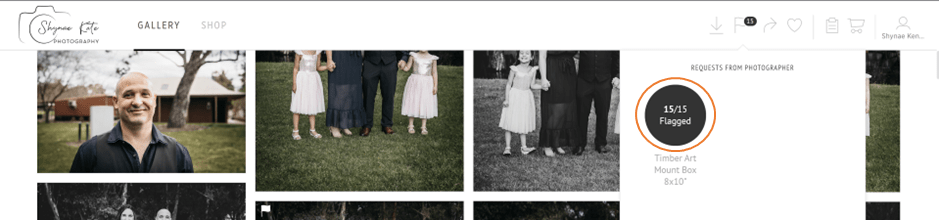
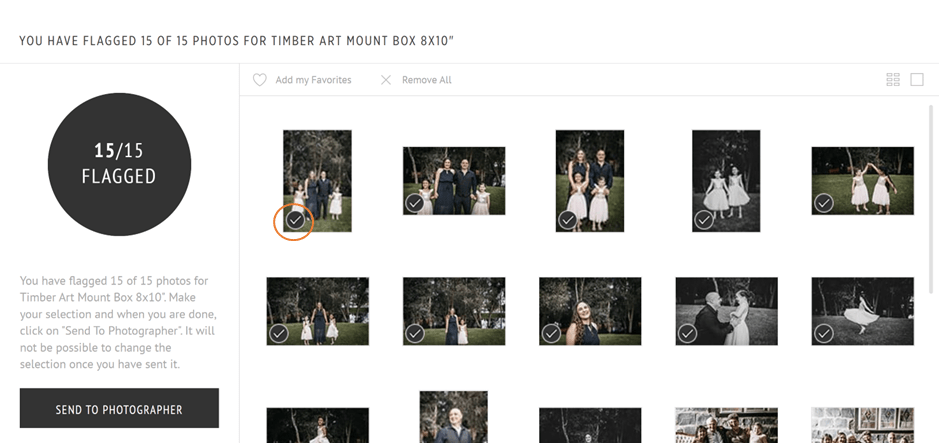
4. If you need to change the selection you can remove images by clicking the tick icon
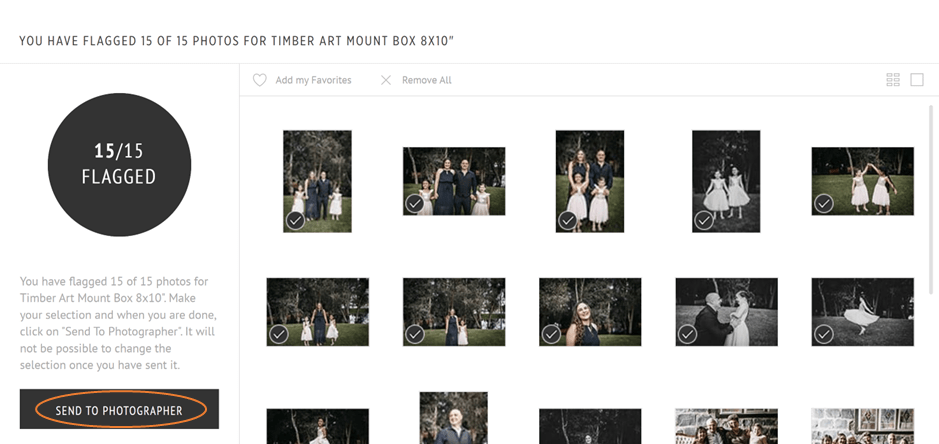
5. Once you have finalised your selection click “SEND TO PHOTOGRAPHER”
 Shynae Kate Photography